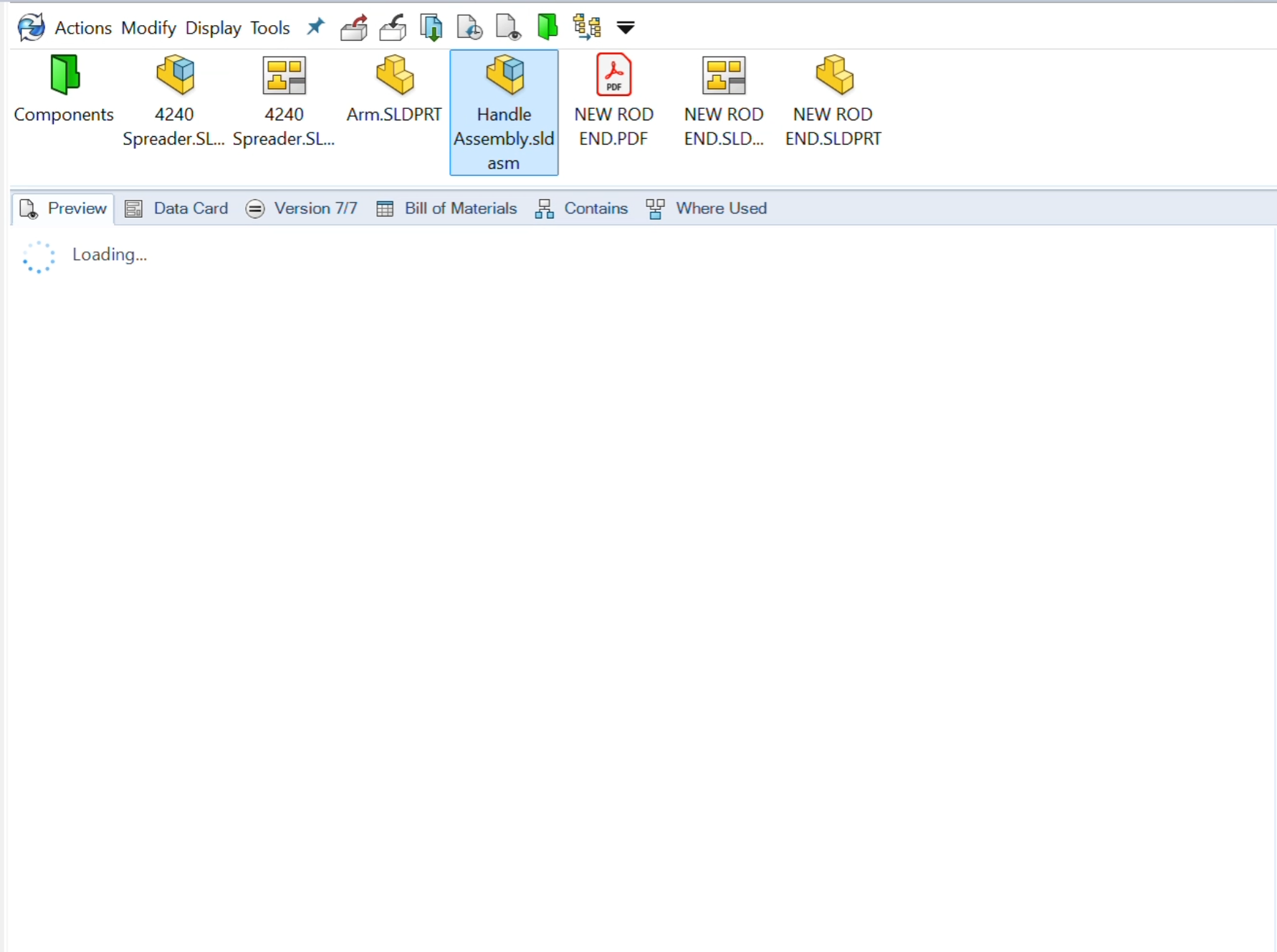
SOLIDWORKS PDM performance is complex, often needing a deep dive to fully understand what is slowing you down. A common area of concern is that eDrawings lags when loading data when you select a file in your vault.
This may seem like an inconsequential slowdown, but that time adds up and can cause you to experience long delays. Often, a simple setting change can greatly reduce the SOLIDWORKS PDM preview lag.
eDrawings Embedded in SOLIDWORKS PDM
eDrawings being integrated with SOLIDWORKS PDM is a game-changer for users who need to see CAD data but may not have access to CAD software like SOLIDWORKS. With eDrawings, we can show exactly what the part or assembly looks like in three dimensions.
The integrated eDrawings viewer allows us to measure the parts, explode the assemblies, and add more valuable data to those that need it. Instead of searching and just seeing some icons in Windows Explorer, users get access to real-life data.
What Causes the SOLIDWORKS PDM Preview Lag?
When you select a file in SOLIDWORKS PDM, the eDrawings viewer will load a preview of whatever file you select. For simple files or when you are only selecting a few, it ultimately won’t matter much.
 SOLIDWORKS PDM preview lagging on load
When you quickly switch between files or select more complex assemblies, all that data can add up and slow down the preview. The eDrawings preview will eventually clear the cached data, but users are able to switch between files faster than that can happen.
How to Fix the eDrawings Lag
You can do your browsing from a different tab that doesn’t load the file preview, so that the explorer doesn’t need to load the data. However, that adds an additional step in your workflow and will slow you down more than the preview loading ever will.
Fortunately, SOLIDWORKS PDM has a dedicated setting to reduce load times and increase performance. Turning on this setting will greatly increase your speed as you navigate around the vault.
To reduce SOLIDWORKS PDM load times:
- Navigate to the Display menu in SOLIDWORKS PDM.
- Expand Options and Show Image Preview.
- Specify the file type you want to display as an image instead of an eDrawings preview.

Show Image Preview options in SOLIDWORKS PDM
How the Show Image Preview Option Helps
What turning these options on will do is have SOLIDWORKS PDM show only images of the selected file types, instead of loading the entire preview. This will ultimately load the data related to SOLIDWORKS, eDrawings, DXF, and other files much quicker.

An image preview with the eDrawings button
The eDrawings preview is still available when you need it; it is just not automatically loaded. On the image preview, there is a command to load the full eDrawings preview on demand instead of it loading for everything you select.
Increasing SOLIDWORKS PDM Preview Speed in Older Versions
If you are in older versions of SOLIDWORKS PDM, you may still have this option, but the menu may be a little different. In earlier versions, the setting was called Show BITMAP Preview for SOLIDWORKS directly under the Options dropdown menu.
This still gives you the same option and works the same way, with an eDrawing icon showing up in the preview tab to load your CAD model.
Increasing SOLIDWORKS PDM Performance with a Health Check
If you turn this setting on and your speed when browsing is still too slow, there may be something else going on. Many things can impact our browsing, from internet speed to broken complex file references.
SOLIDWORKS PDM performance is complex, often needing a deep dive to fully understand what is slowing you down. Our SOLIDWORKS PDM Health Check service provides an expert review of your SOLIDWORKS PDM environment to assess overall system health, performance, and reliability.
To get started with a SOLIDWORKS PDM Health Check, click here.
PakarPBN
A Private Blog Network (PBN) is a collection of websites that are controlled by a single individual or organization and used primarily to build backlinks to a “money site” in order to influence its ranking in search engines such as Google. The core idea behind a PBN is based on the importance of backlinks in Google’s ranking algorithm. Since Google views backlinks as signals of authority and trust, some website owners attempt to artificially create these signals through a controlled network of sites.
In a typical PBN setup, the owner acquires expired or aged domains that already have existing authority, backlinks, and history. These domains are rebuilt with new content and hosted separately, often using different IP addresses, hosting providers, themes, and ownership details to make them appear unrelated. Within the content published on these sites, links are strategically placed that point to the main website the owner wants to rank higher. By doing this, the owner attempts to pass link equity (also known as “link juice”) from the PBN sites to the target website.
The purpose of a PBN is to give the impression that the target website is naturally earning links from multiple independent sources. If done effectively, this can temporarily improve keyword rankings, increase organic visibility, and drive more traffic from search results.
Jasa Backlink
Download Anime Batch


